Release notes Luceda Photonics Design Platform 2026.06.0
Welcome to the 2026.06.0 release!
Discover the key highlights:
Irys DRC on macOS - Run native design rule checks on macOS, with the same interactive workflows introduced in 2026.03.
Physical verification workflow improvements - Open GDSII layouts and run Irys DRC (or open existing reports) directly from the visualizer, measure distances with a ruler, browse DRC reports
Layout Driven Simulation - Run Caphe S-matrix and Signal Tracer from the visualizer with a SPICE netlist (standalone GDS or IPKISS).
S-Bend routing - Route your circuits with a dedicated
i3.ConnectSBendconnector, including support for various types of S-bend shapes and minimum bend-radius enforcement.
For a full list of features, improvements, and bug fixes, please consult the changelog.
Irys DRC on macOS
Irys DRC, Luceda’s native DRC engine introduced in the 2026.03 release, is now available on macOS in addition to Windows and Linux. You can run Irys DRC from the Luceda Layout Visualizer or from Python scripts on all three major desktop platforms.
For up-to-date information regarding foundry DRC decks supported by Irys DRC, visit: Irys DRC.
Irys DRC workflow improvements
The Luceda Layout Visualizer is now available as a standalone application, so you can inspect GDSII files independently of IPKISS.
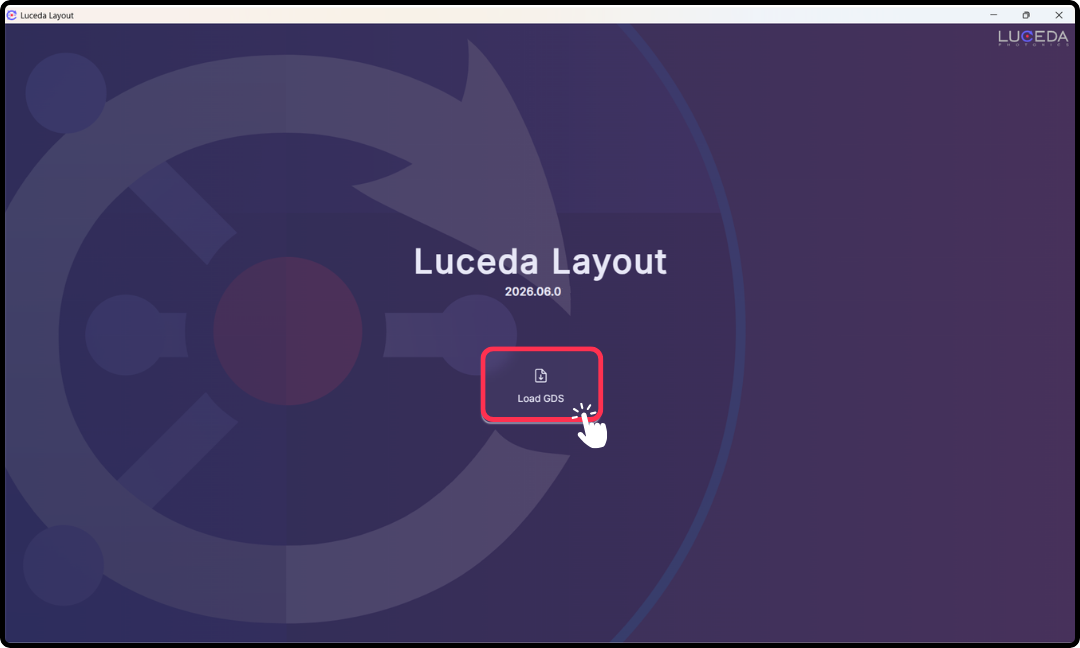
Standalone Luceda Layout Visualizer with Load GDSII workflow.
Several workflow enhancements make layout inspection and DRC review faster:
Open GDSII layouts from the visualizer menu bar.
Load DRC marker files (
.lyrdb) and save marker files from the GUI after running checks.Or run Irys DRC directly on the loaded GDSII file.
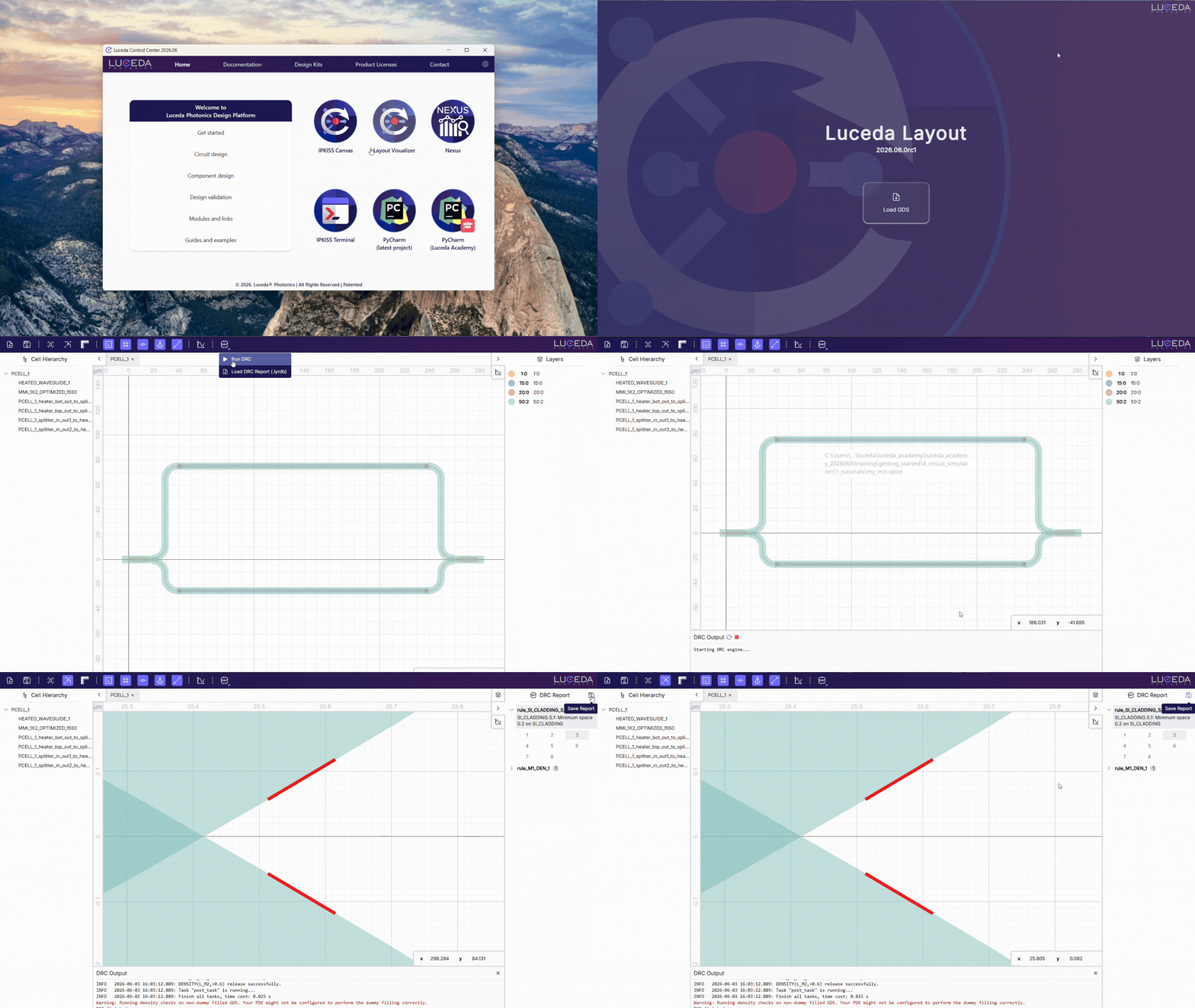
Load GDS, run Irys DRC, and load or save DRC reports from the Luceda Layout Visualizer.
Use the new ruler tool to measure distances in your layout.
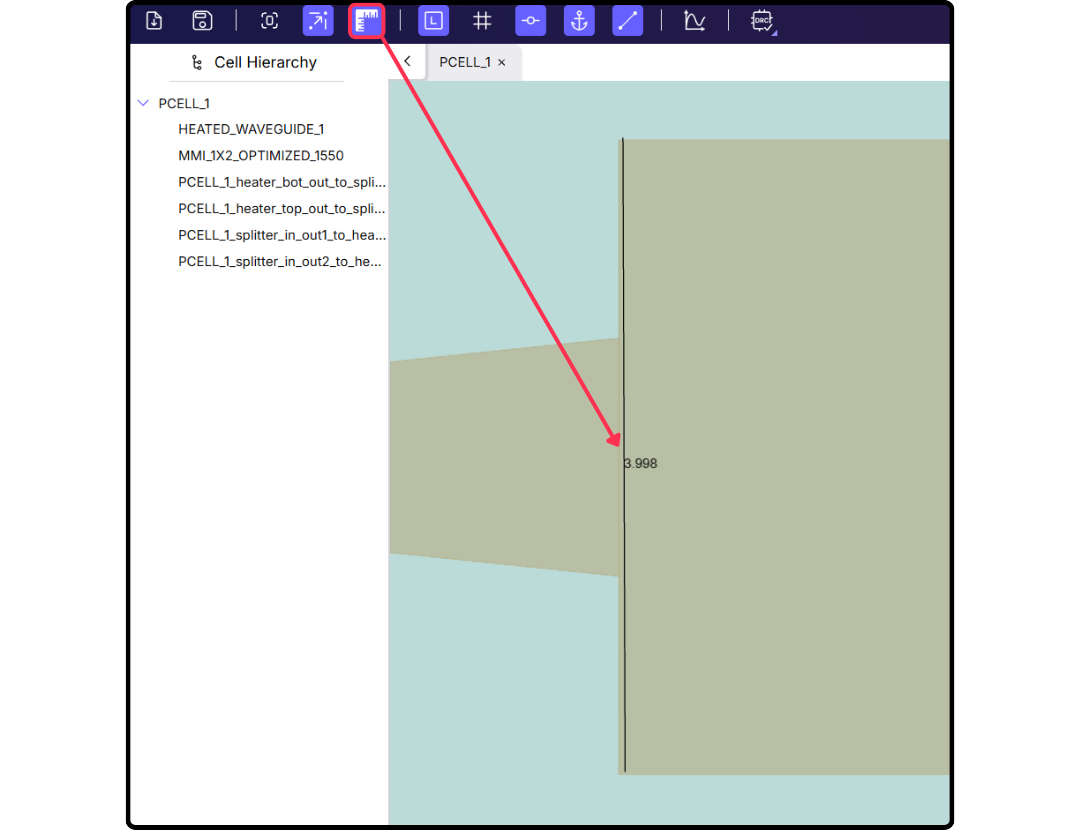
Measuring distances in the layout with the ruler tool.
Layout-driven simulation (LDS)
Building on the SPICE-based circuit simulation workflow introduced in the 2026.03 release, you can now run Caphe circuit simulations from the Luceda Layout Visualizer — including when inspecting a layout opened via Load GDSII in the Layout Visualizer.
After tape-out or layout hand-off, you often have a GDS file and need quick circuit feedback without reopening the full IPKISS design script. Layout-driven simulation closes that loop: keep the layout in the visualizer, attach a SPICE netlist exported from your design, and review S-parameters or optical power paths in the Layout Visualizer.
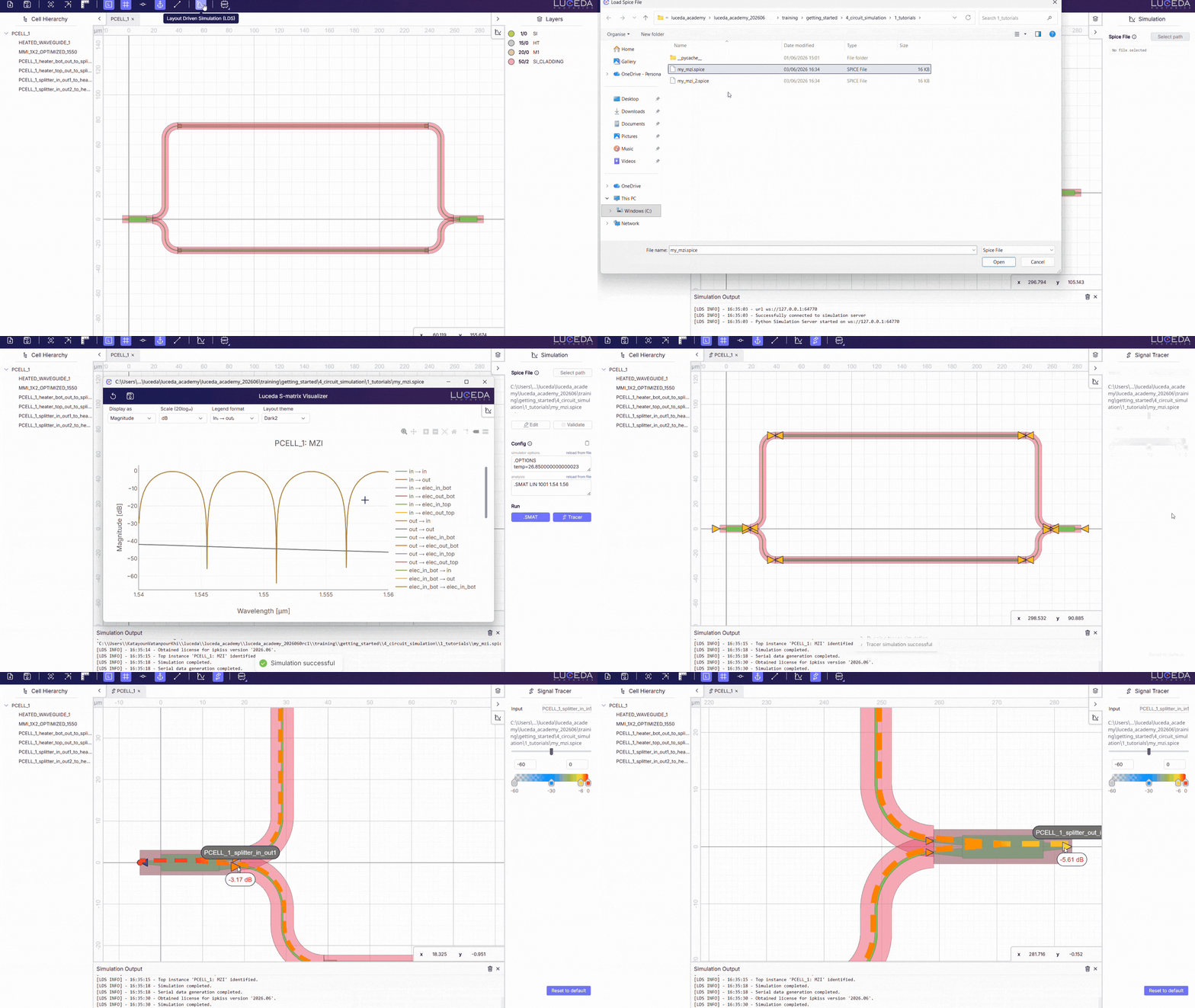
Load a SPICE file from the Simulation menu and run S-matrix or Signal Tracer analysis.
Resources:
samples/circuit_sim/spice.
S-Bend routing with ConnectSBend
When two ports are slightly offset but face the same (or opposite) direction, an S-bend route is often more compact than a Manhattan connection.
The new i3.ConnectSBend specification generates an S-bend between two ports and enforces a minimum bend radius.
This type of connector helps minimize waveguide losses.
You can choose the S-bend geometry (Cosine, Sine, Euler, Hermite, Radial) that best fits your use case.
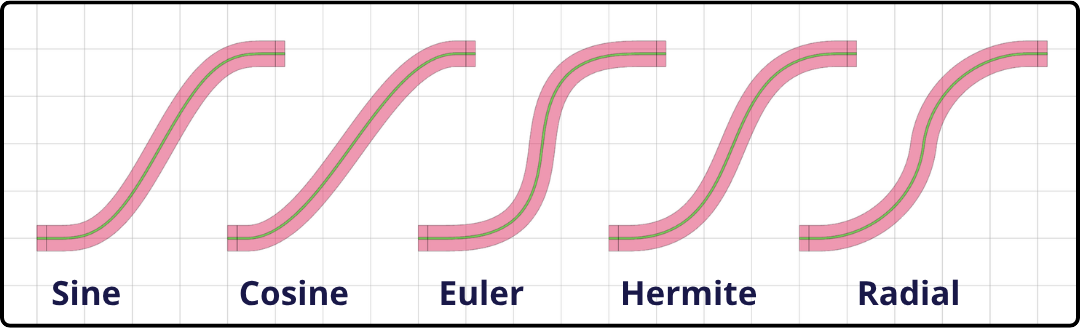
S-bend geometries available in i3.ConnectSBend.
Resources:
Placement & routing guide: Placement and routing specifications
API reference: Connector Reference
Sample:
samples/plot_connect_sbend.py
See also backward compatibility notes for connector initialization: Connector error handling.